How to change mobile number on the web
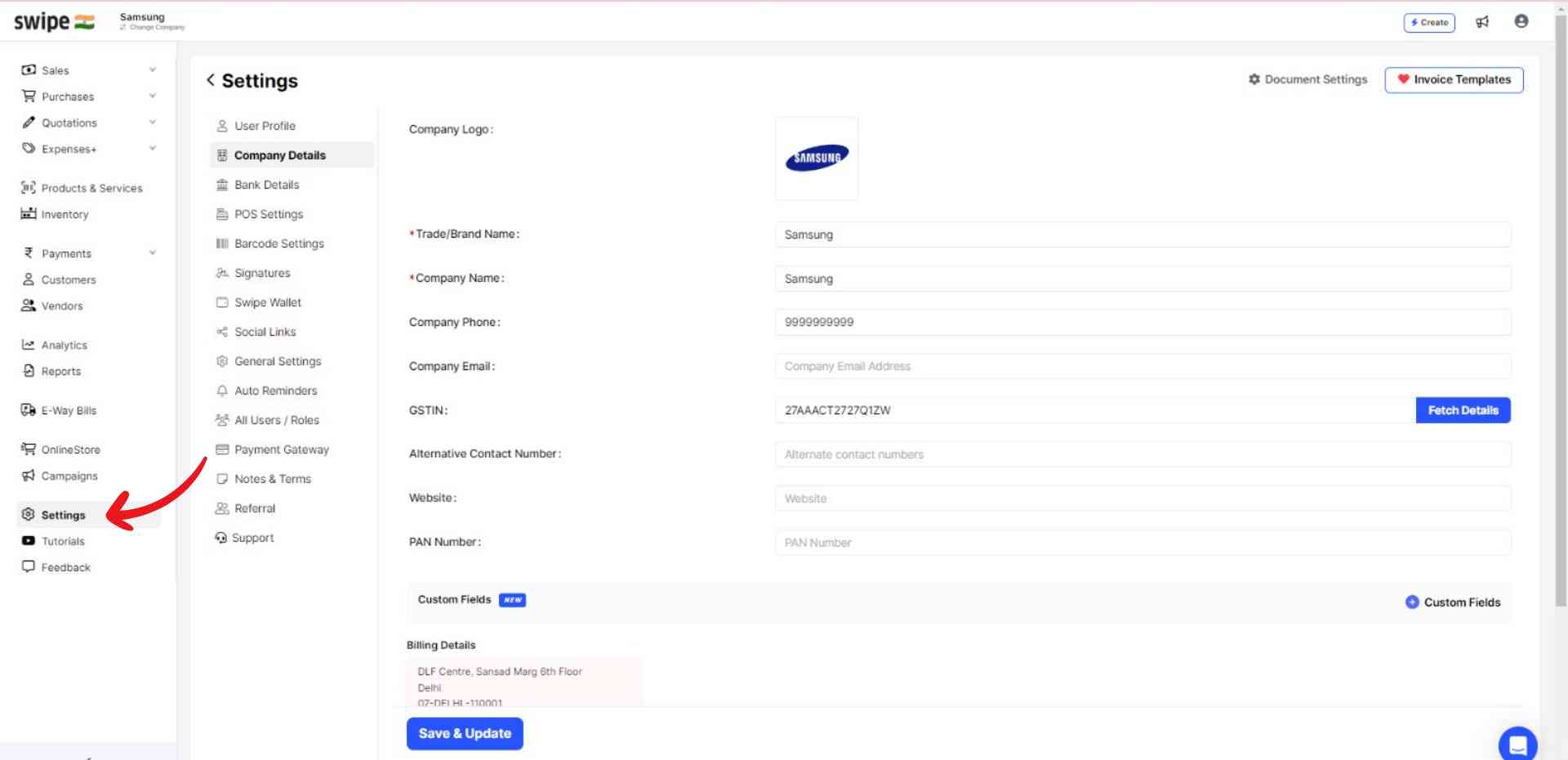
Step 1: Go to "Settings".
Click on the “Settings” icon on the left dashboard.
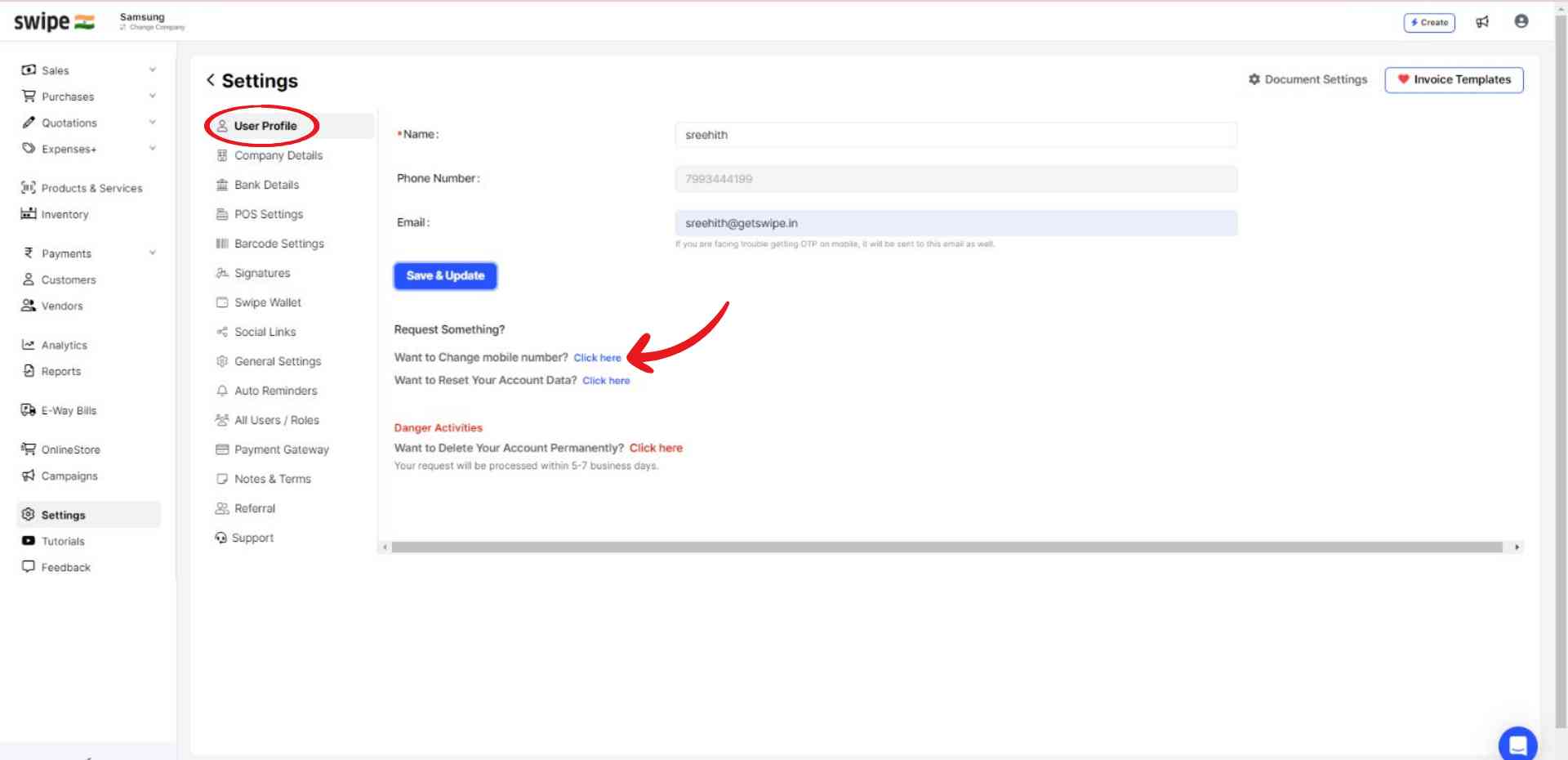
Step 2: Change your mobile number.
Now, select the “User Profile” option from the menu and click on the “Click here” option near “Want to change the mobile number?”
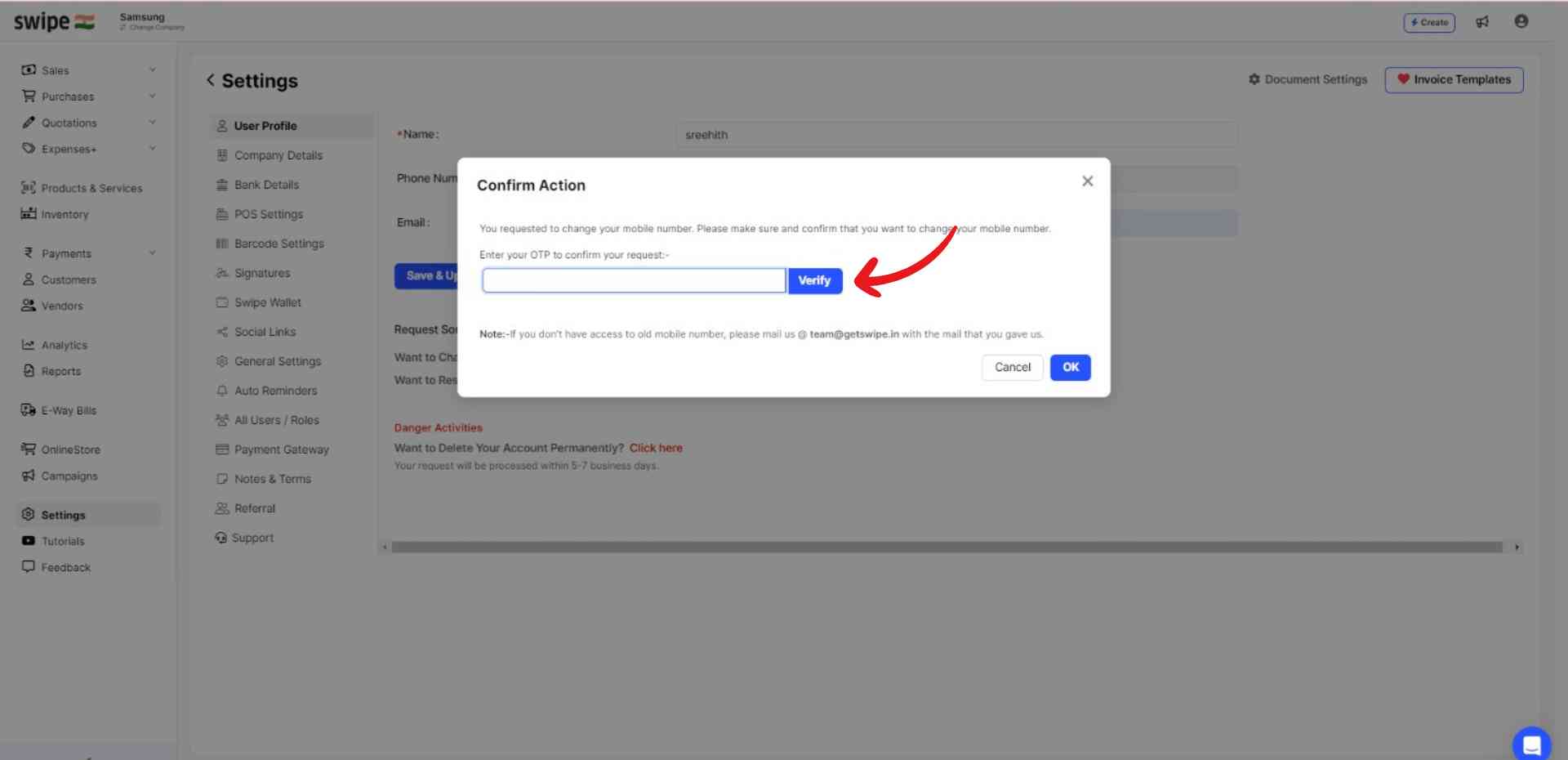
Step 3: Verify yourself.
A pop-up appears. Here, click on “Verify OTP”.
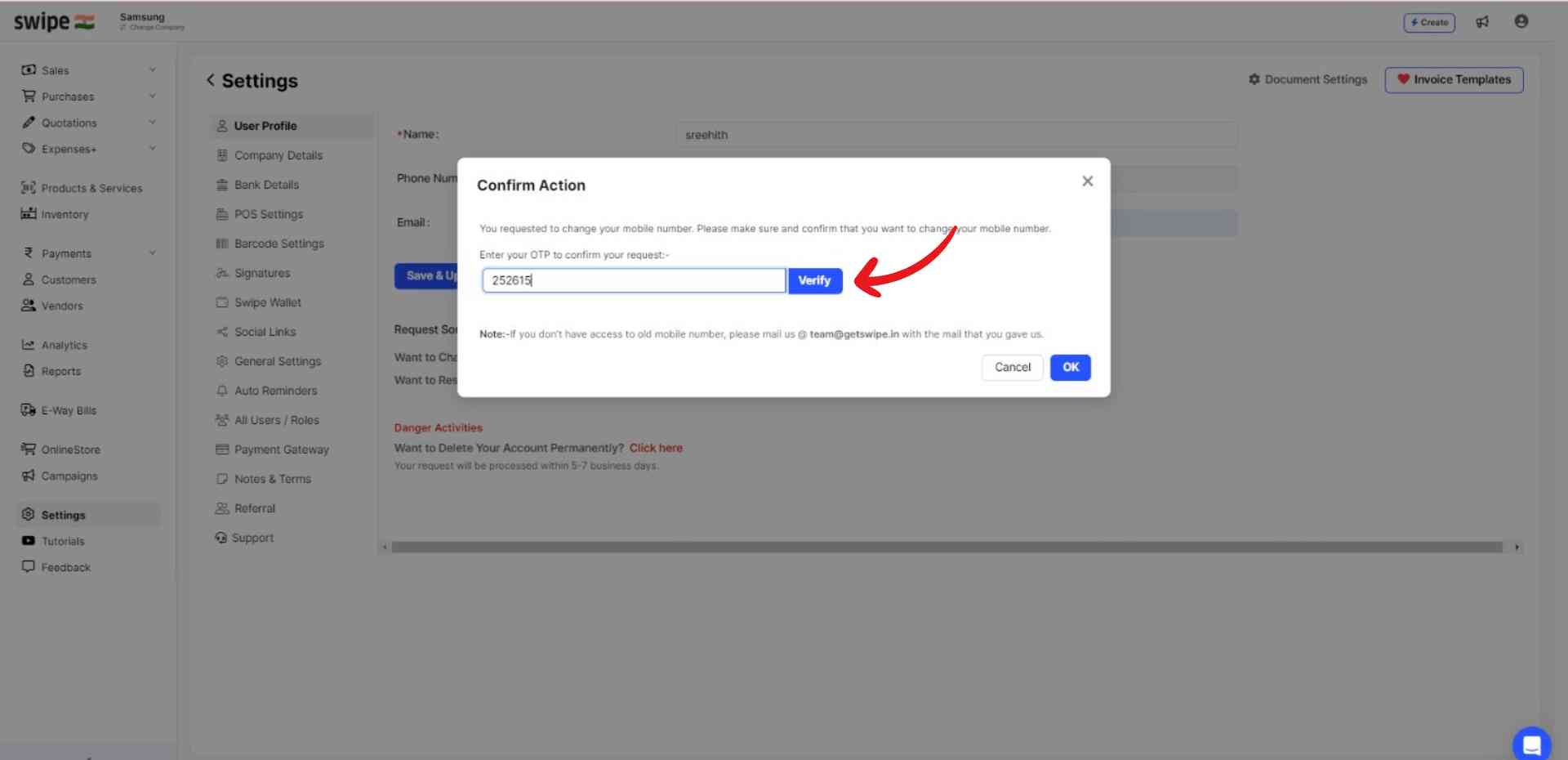
Now enter the OTP and click on “Verify”.
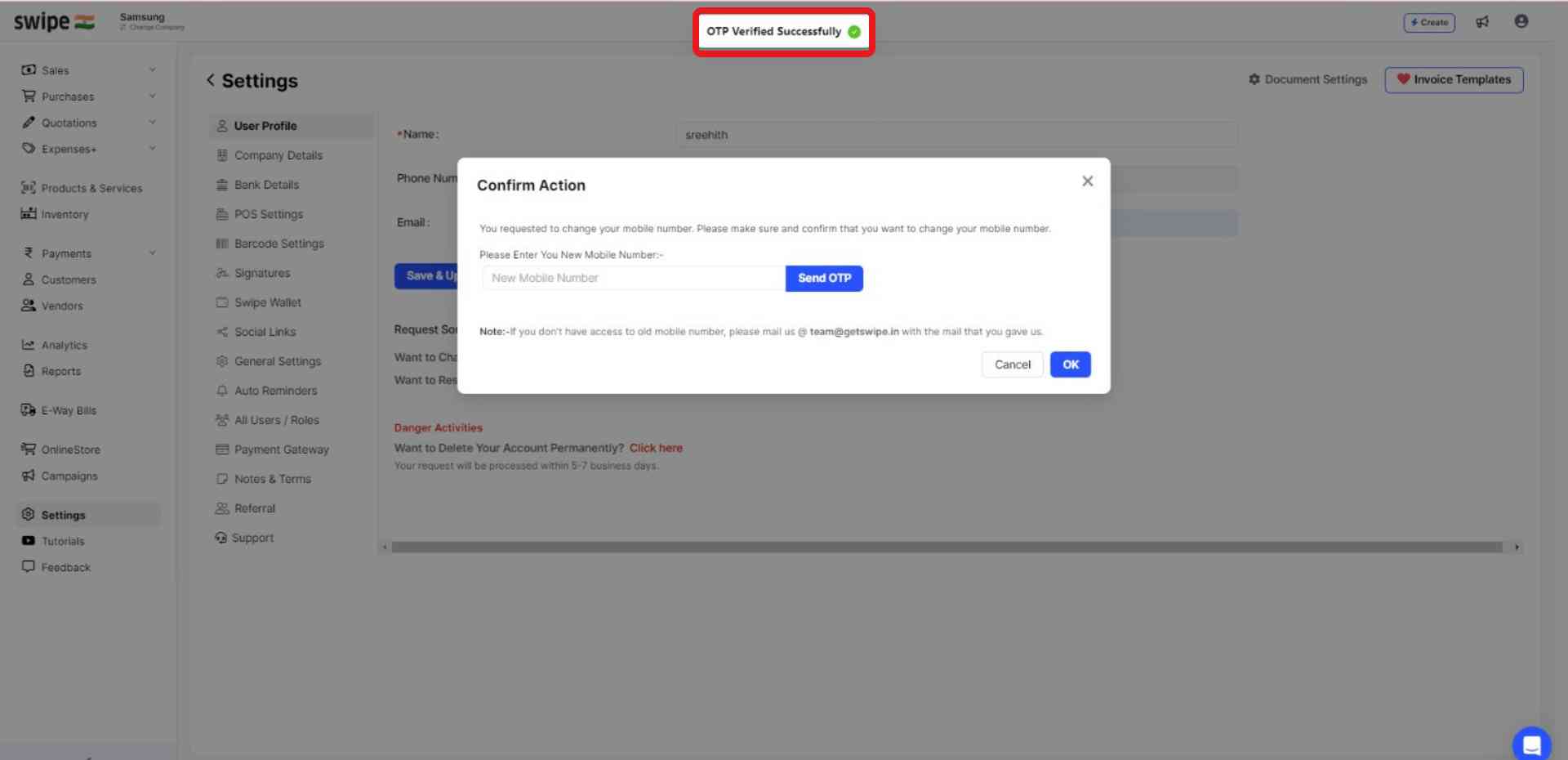
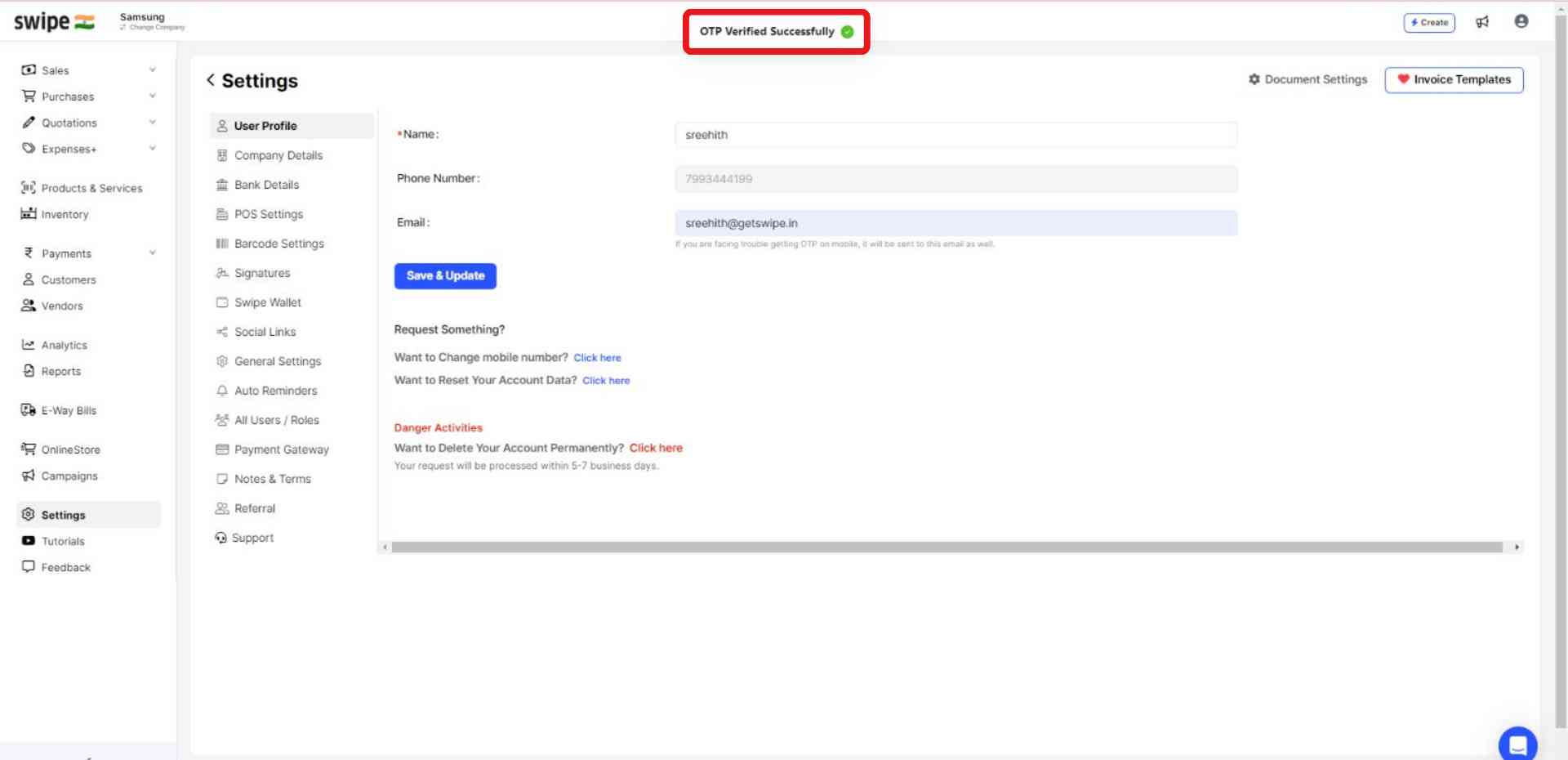
Once verified, a pop-up appears on top of the screen informing the same.
Step 4: Add your new mobile number.
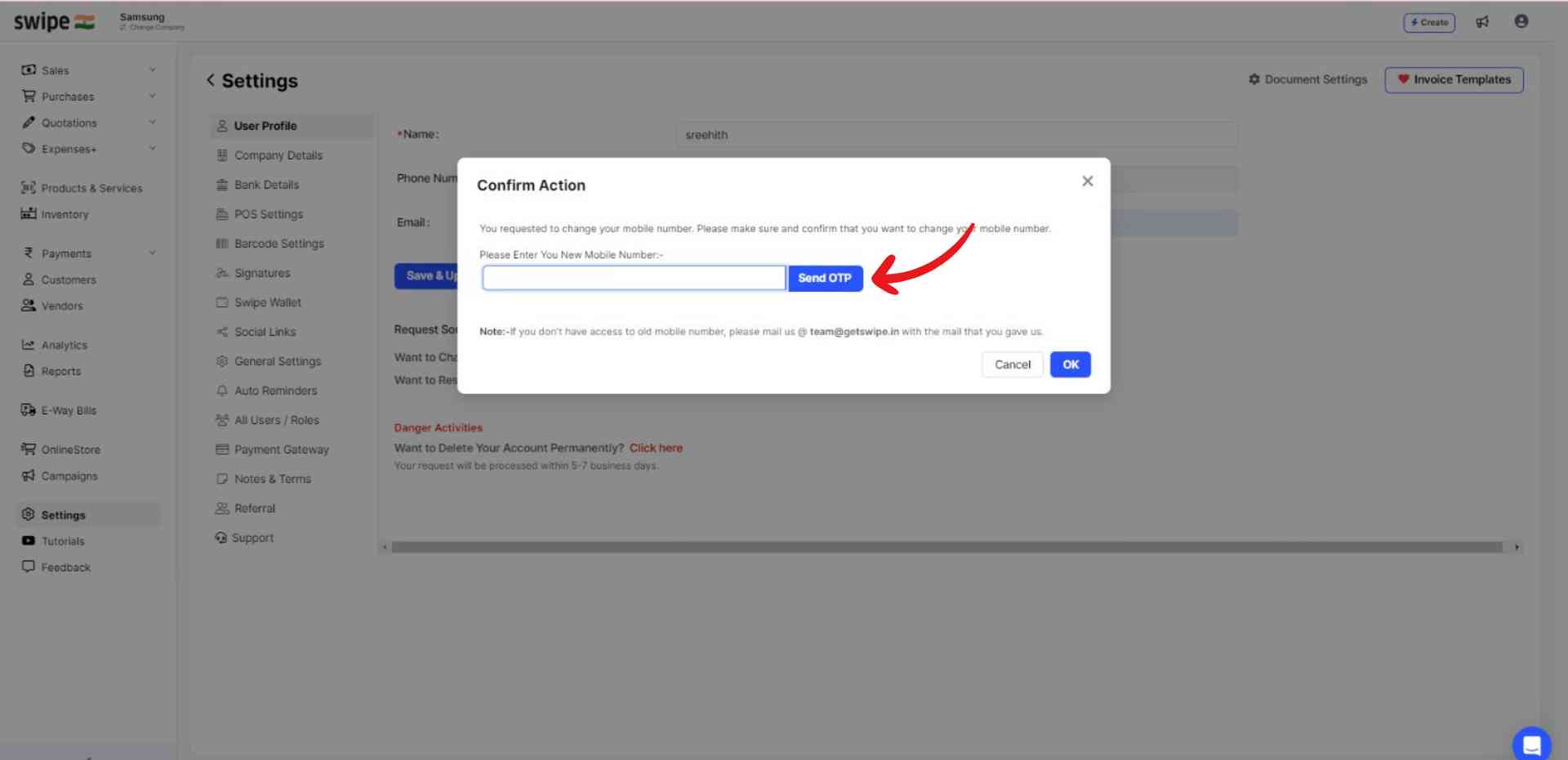
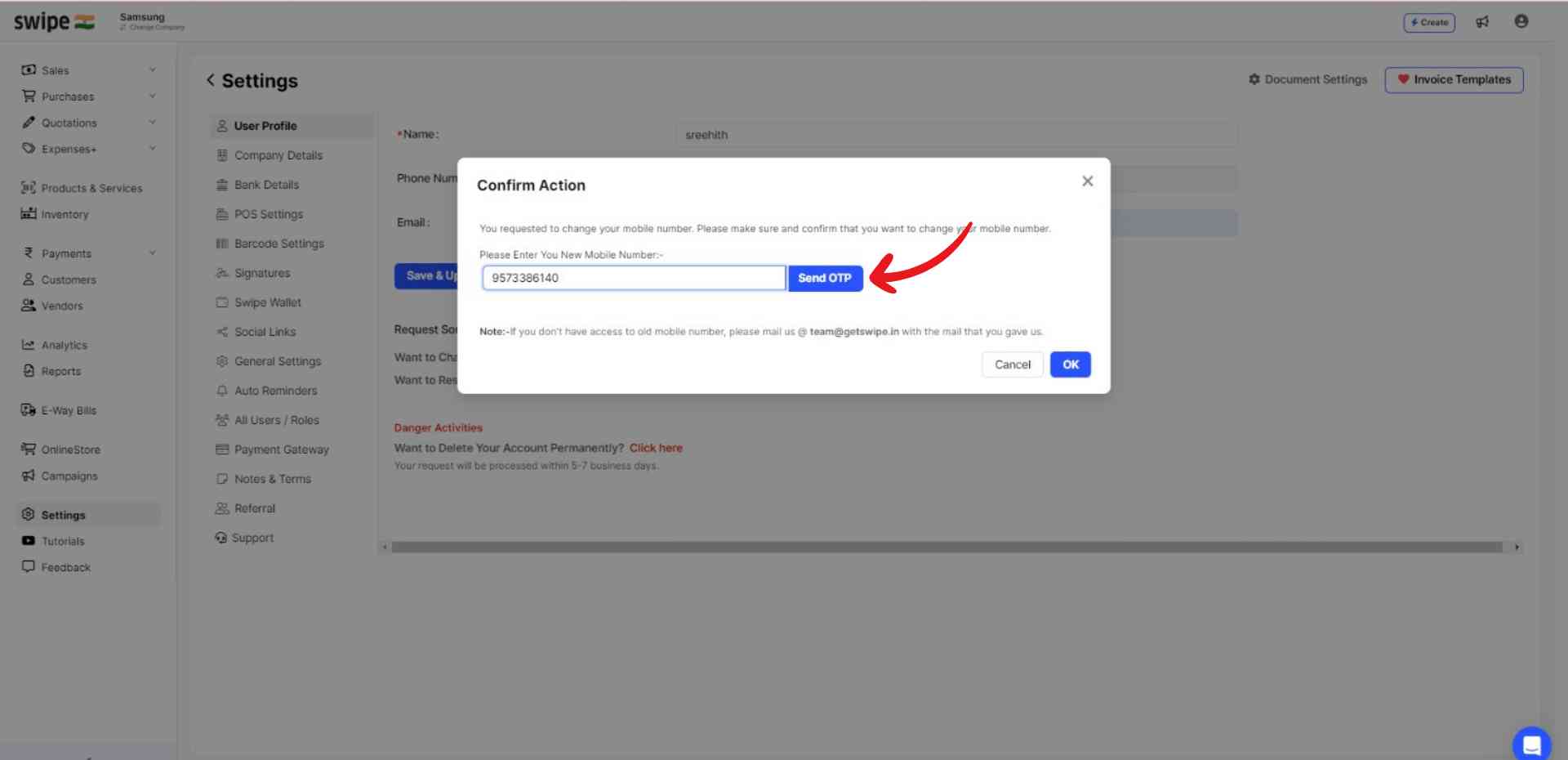
After verification, add your new mobile number.
Now, click on “Send OTP”.
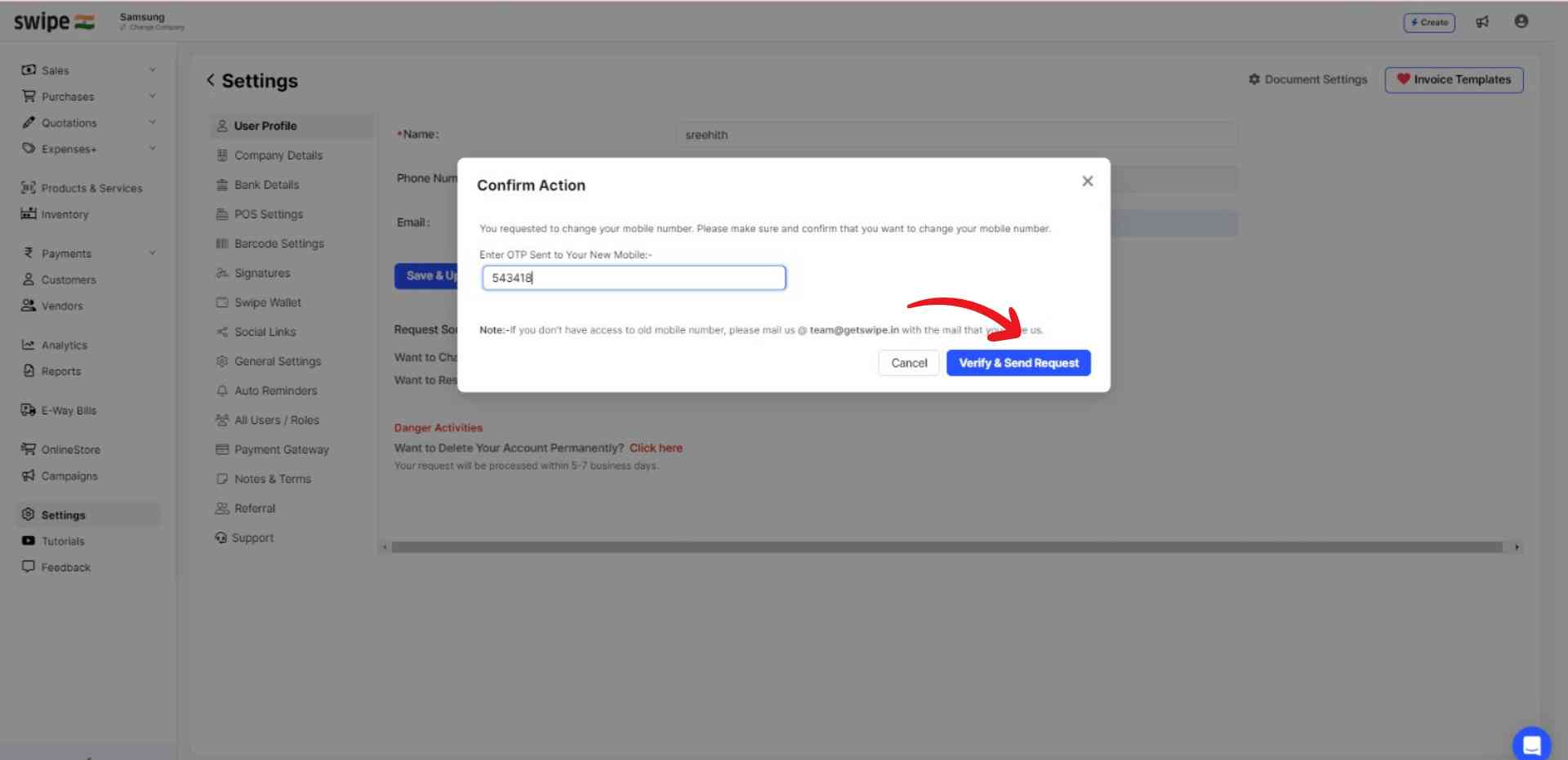
Step 5: Verify and send the request.
Enter the OTP and click on “Verify & Send Request” at the bottom of the pop-up.
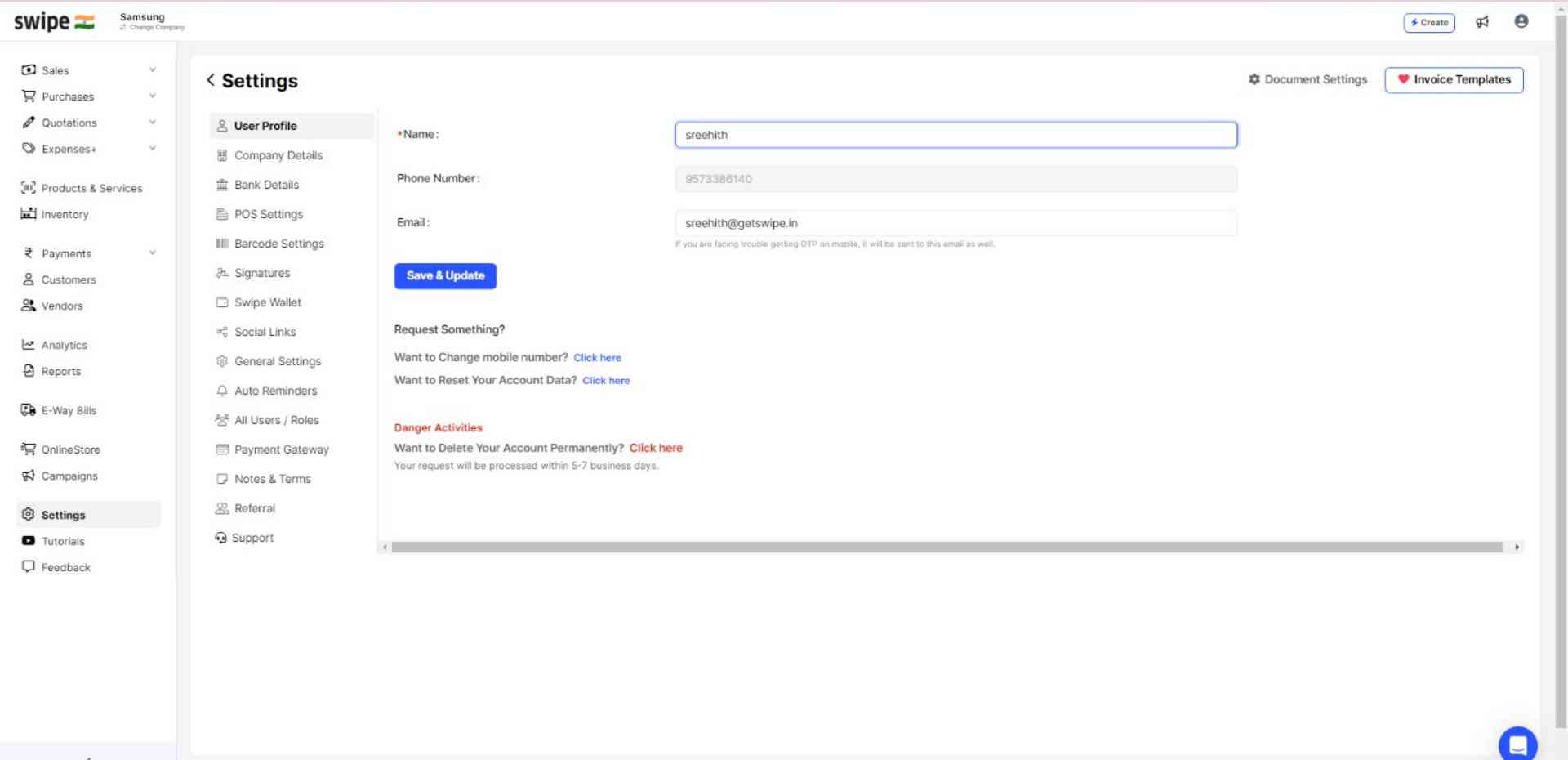
Congratulations! Your new mobile number has been updated successfully and a pop-up appears at the top of the screen informing the same.



%20(1).png)
%20(1).png)